LLM Gateway Setup Guide: Route 9 Providers in 5 Minutes
Set up an LLM gateway in 5 minutes. Route all AI requests through one endpoint for cost tracking, security, policies, and multi-provider support.
What you will learn
- Understand what an LLM gateway does and why you need one
- Set up a gateway and create your first API key
- Route your first LLM request through the gateway
- See costs tracked automatically per request
- Know which key type to use in development vs production
TL;DR — An LLM gateway is a single endpoint that routes requests to every major provider with built-in auth, cost tracking, policy enforcement, caching, and kill-switch. If you are already using the OpenAI SDK, switching to a gateway is one line of code.
What Is an LLM Gateway?
An LLM gateway is a proxy that sits between your agents and LLM providers. Instead of agents calling OpenAI, Anthropic, or Google directly, they call the gateway — which routes the request to the right provider, tracks the cost, applies policies, and logs everything.
Think of it like an API gateway for AI. Nginx routes HTTP requests. An LLM gateway routes AI requests — with cost tracking, rate limiting, and policy enforcement built in.
Each agent has its own API key for each provider. Costs are scattered across 5 different billing dashboards. There is no way to enforce rate limits or block a runaway agent.
All agents use one gateway endpoint. Costs are tracked per agent, per provider, per user in a single dashboard. Rate limits, budgets, and kill-switch are enforced automatically.
Setup in 4 Steps
Create a Dobby workspace at dobby-ai.com/auth/signup. Choose your region (IL, EU, or US) — this determines where your data is stored.
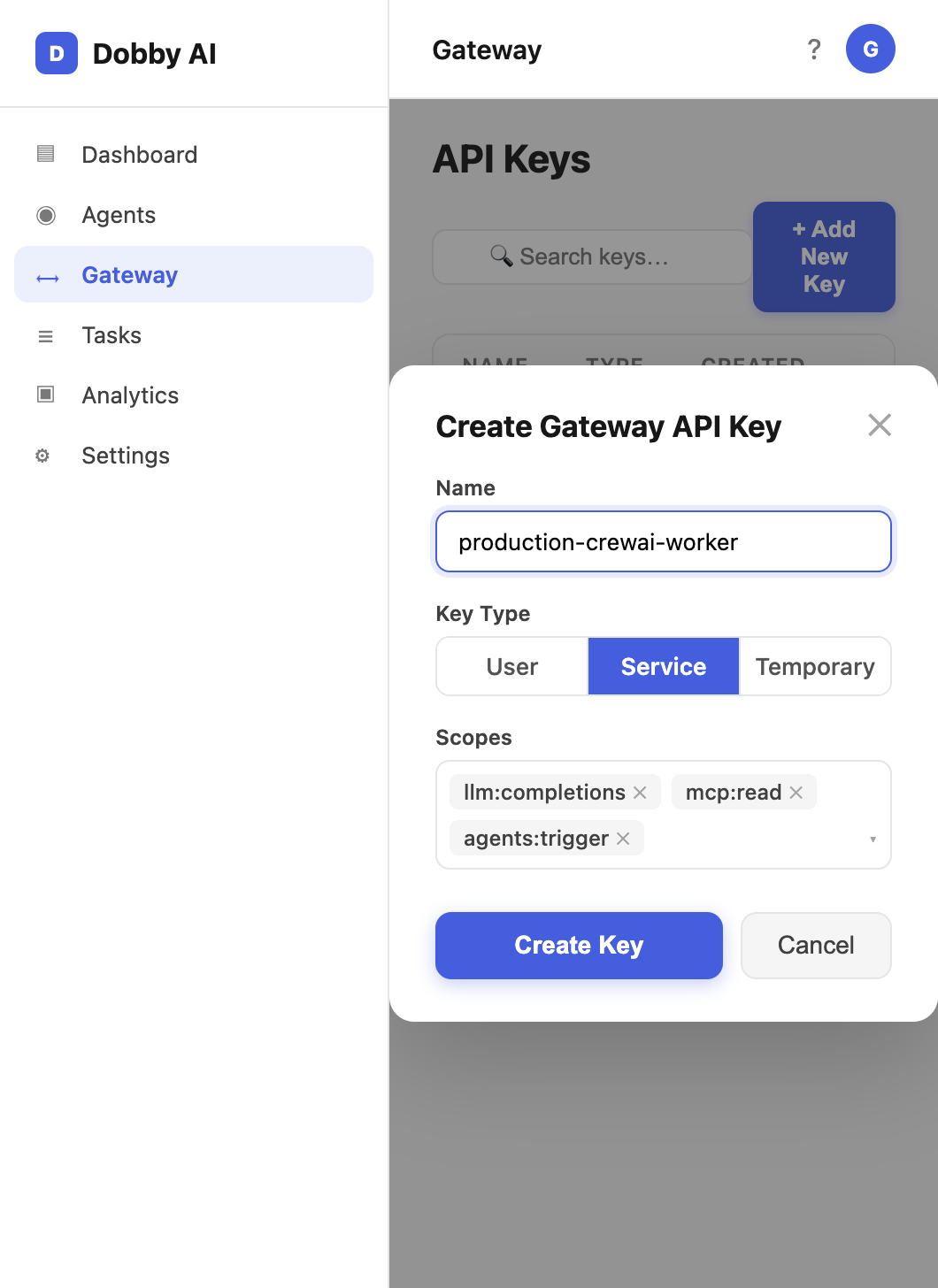
Go to Gateway > API Keys and create a new key. Choose the key type: user (100 RPM), service (500 RPM), or temporary (50 RPM, auto-expires).
Install the OpenAI SDK — the gateway is compatible with the standard OpenAI API format. No custom libraries needed.
Make your first request through the gateway. The cost, latency, and token usage are tracked automatically.
Your First Gateway Request
from openai import OpenAI

# Point to Dobby Gateway instead of OpenAI directly
client = OpenAI(
    base_url="https://dobby-ai.com/api/v1/gateway",
    api_key="gk_user_your_key_here"  # Gateway key, not OpenAI key
)

# Use any supported provider — same SDK
response = client.chat.completions.create(
    model="gpt-4o",  # or claude-sonnet-4-6, gemini-2.5-flash, etc.
    messages=[{"role": "user", "content": "Summarize this document"}]
)

print(response.choices[0].message.content)
The Dobby Gateway supports 9 LLM providers through a single endpoint. Switch between OpenAI, Anthropic, Google, Mistral, and more by changing the model parameter — no code changes needed.
Picking the Right Key Type
- gk_tmp_* (temporary) — 50 RPM, auto-expires. Use for demos, notebooks, and sandbox experimentation.
- gk_user_* (user) — 100 RPM. Use for individual developer laptops and interactive tools.
- gk_svc_* (service) — 500 RPM. Use for production agents, schedulers, and CI/CD pipelines.
Never commit Gateway keys to git. Rotate any key that appears in a public repo within the hour — Dobby audit logs will show exactly which calls used that key.
What Happens Behind the Scenes
- Authentication — your gateway key is validated and rate-limited
- Policy check — org policies, model restrictions, and budget limits are enforced
- DLP — configured PII patterns are redacted before the request leaves the platform
- Provider routing — the request is forwarded to the correct LLM provider using your configured credentials
- Cost tracking — tokens consumed and cost are calculated and logged
- Audit trail — the full request/response is stored in the tamper-evident log
Every gateway request appears in real-time on the Live page. You can see who is calling which model, how much it costs, and how long it takes — as it happens.
Frequently Asked Questions
Do I still need my own OpenAI or Anthropic API key?
You can either bring your own provider key (BYOK) for each provider and let Dobby use it on your behalf, or use the platform's shared quota for simple setups. BYOK gives you pricing you already negotiated; shared quota lets you skip provider signups entirely.
Is the gateway a single point of failure?
The gateway is highly available with multi-region failover and a circuit breaker per provider. If an upstream provider goes down, traffic routes to the configured fallback. If the gateway itself experiences issues, you can fall back to direct provider calls using the same OpenAI-compatible SDK.
How much latency does the gateway add?
Typical overhead is 20-60ms for auth, policy check, and logging. Semantic cache hits return in under 1ms, so repetitive workloads actually become faster through the gateway than without it.
Can I use streaming responses?
Yes. The gateway supports streaming chat completions with the standard SSE format. Cost and token usage are measured on the final chunk so your observability data is complete.